Research board template
A Cork board for collecting quotes, facts, ideas, and questions, with Source and Type fields on every card.
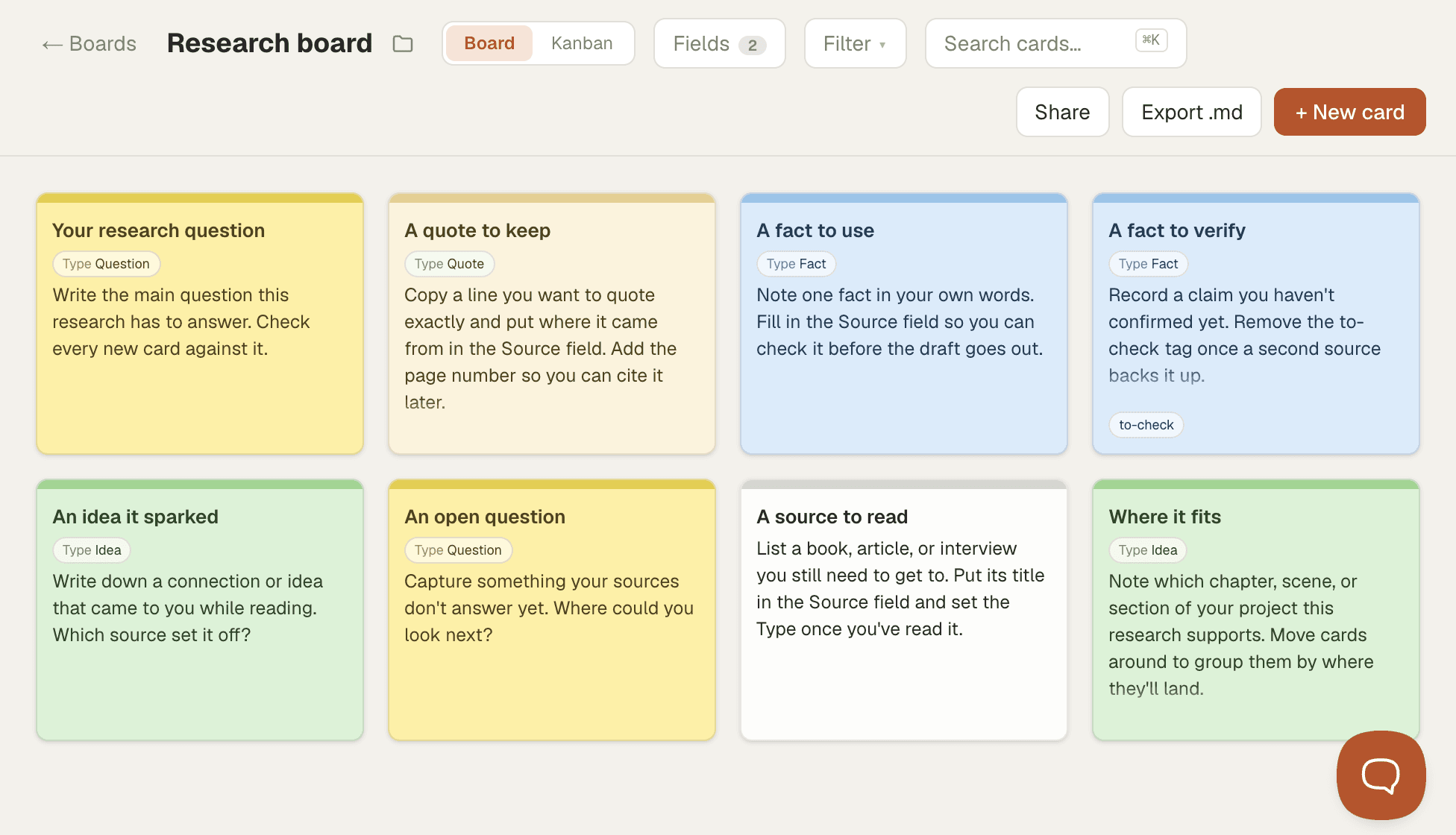
A research board keeps the material behind a piece of writing in one place, with one note per card: a quote you want to use, a fact you need to check, an idea a source sparked, or a question you still can't answer. Keeping each note on its own card lets you sort your research by type, group it by where it will land in your draft, and see at a glance what still needs a source.
It suits nonfiction writers, journalists, students writing papers, and novelists researching a period or a place. Add your source to every card, so you can cite it or check it later without digging through old notes.
How to use this template
- Start a board from the template. You get eight cards in Board view with Source and Type fields, colored by type: quotes in cream, facts in blue, ideas in green, and questions in yellow.
- Replace the prompt on the research question card first, and check every new card against that question.
- Add a card for each quote, fact, idea, or question as you read. Pick its Type and the card takes that color, so you never set colors by hand. Fill in the Source field every time, with a page number for quotes.
- Tag claims you haven't confirmed with
to-check, and remove the tag once a second source backs them up. - Filter by Type to pull up every quote or open question, and move cards into groups by the section of your project they support.