Screenplay scene breakdown template
A Cork board of scene cards in three acts, with INT/EXT, Day/Night, and Location fields included for every scene.
See also: Scene cards: what goes on one and how to write cards that stay useful
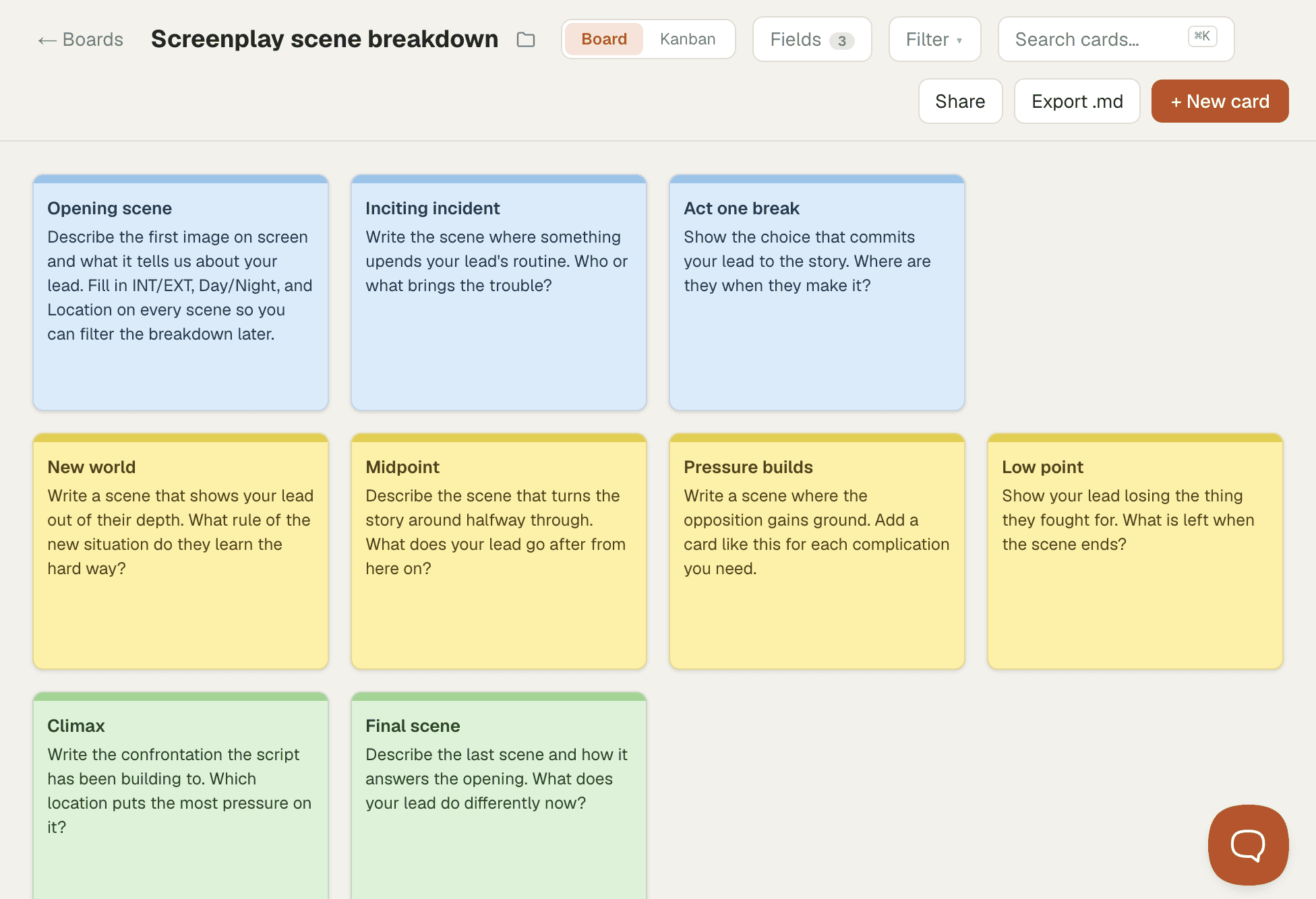
A scene breakdown lists every scene in a script, one per card, with the details you need to see at a glance. Each scene in a screenplay opens with a slug line that says whether it's interior or exterior, where it takes place, and whether it's day or night, so those three details make natural fields on a scene card. Under them goes what the scene is for: who wants what, and what changes before the scene ends.
A breakdown suits screenwriters planning a draft and writers revising one, whenever you need to see the order of the scenes and where each one happens. With the slug-line details in fields, you can filter the board to every night or day scene or every scene in one location.
How to use this template
- Start a board from the template. You get nine scene cards in Board view, one row per act, from Opening scene to Final scene, with INT/EXT, Day/Night, and Location fields already set up.
- Open each card and replace the prompt with your own scene. Pick INT or EXT and Day or Night, and type the location.
- Add a card for every scene you need.
- Filter by a field to check your locations and the balance of day and night scenes, then drag cards to reorder the script.
Read the full guide: Scene cards: what goes on one and how to write cards that stay useful